
How to Prove an Image Was Made by AI When You Are Reported
3 checking tools · 4 steps · what is and isn’t proven · keeping creation records
How do you check and prove that an image was made by AI?
- How to check: To check whether an image is AI-generated, upload the original file, exactly as first downloaded, to an official checking tool and see whether signals of AI generation remain in the file. People often say “AI photo,” but this page says “AI image” to keep it apart from real photographs.
- Reading the result: If the OpenAI verification tool detects a signal, it is likely that the image was made with an OpenAI tool. A result of no signal does not mean a person took the photo.
- The limit of proof: The OpenAI verification tool also flags a new file that was made by asking the tool to edit a photo you uploaded. So the tool result alone cannot show that no real photo was used.
- What to keep alongside: If you do not delete the chat in which you made the image, the files in your library (ChatGPT's image library) and your account data export, you can separately show what you put in to make it.
- If you have been reported: Put the check result and the records of how it was made into one bundle, and for what to do after you are contacted, see the order set out in the case record.
Three AI Image Checking Tools: Where to Upload and What Is Shown
| Tool | Where to open it | Files you can upload | What the result screen shows | Files made by another company's AI |
|---|---|---|---|---|
| OpenAI generated-content verification (OpenAI Verify) | The “Verify OpenAI-generated content” page on the OpenAI site | Images in PNG, JPG or WEBP · audio · one file at a time | One of: C2PA (an open standard that records a file's origin and change history) metadata, a SynthID watermark, or no supported signal | It is not designed to detect them |
| Content Credentials verification | The verification page of the Content Authenticity Initiative | Images such as JPEG, PNG, WebP, HEIC, AVIF and TIFF, plus video, audio and PDF | The Content Credentials in the file and how it changed over time | It can show a C2PA record if one remains, but a file with no record may have nothing to display |
| SynthID (Google) | Upload the file to the Gemini chat and ask | Images, video and audio | Whether it found the SynthID watermark left when something is made or edited with Google's AI | I could not confirm whether it catches files made by AI from companies other than Google |
The three tools look for different signals. The OpenAI tool looks for the two signals OpenAI puts in images, the Content Credentials page looks for C2PA records, an open standard, and Gemini looks for Google's SynthID watermark.
If you do not know which AI made the file, upload it to all three in turn and write down what each one showed. C2PA is not a standard used only by AI companies; camera makers and news organizations also use it to record the origin and history of photographs.
Four Steps to Check Whether an Image Was Made by AI: From the Original File to No Signal
Find the file exactly as you first downloaded it. A copy saved again after posting it on social media, a screenshot, or a file passed around in a messenger is not the original. The checking tool tells you to upload an image that has not been cropped or converted to another format such as PDF.
For the most reliable result, upload one file at a time. OpenAI states that it does not store uploaded files unless it is legally required to keep them, and does not use them to train models.
Write down the label on the screen exactly as shown, without changing it. Capture the result screen and note the file name you uploaded and the date you checked, so you can show the same result again later.
Do not draw a conclusion here. Upload the same file to the other two tools, look again for an earlier version of the file, and then match it against the five cases below one by one. If the file shows a person's face, read the tool's guidance on how it handles files before you upload.
| What the screen shows | What it means | What to do next |
|---|---|---|
| C2PA metadata | The record inside the file says it was made with an OpenAI tool. The record can include the tool or service used and the time it was made | Upload the same file to the Content Credentials verification page and open the record |
| SynthID watermark | The image itself holds a signal that cannot be seen. It can remain even in a file whose metadata has been stripped | Keep the result screen together with the original file |
| No supported signal | The tool did not find a supported signal in the file you uploaded | Check the five cases below one by one |
Five Cases Where an Image May Be AI-Made Even Though No Signal Appears
What an AI Image Check Result Can and Cannot Prove
What the result can show
- Whether the file holds a provenance signal linked to OpenAI tools
- If a signal is detected, that the image was likely made with an OpenAI tool (OpenAI explains that a detected signal can be trusted and that wrong detections are rare)
- For a file that keeps a C2PA record, that record and the changes written in it
What the result cannot show
- Who made it, or for what purpose
- Whether a real photo was used when it was made — a file made by asking the tool to edit an uploaded photo is also detected as made with an OpenAI tool
- How the image was used or changed after it was made
- Whether the content is accurate, whether it is used in a suitable context, or who owns it legally
- Whether a file with no signal was made by another company's AI or is a photo taken by a person
This is adapted from OpenAI's help article and the explanation on the OpenAI verification page.
OpenAI states that the result of this tool does not judge whether content is accurate or used in a suitable context.
In particular, the checking tool cannot tell whether a real photo was used. The question is answered by the records in “Keeping the Records of How an AI Image Was Made” below.
Keeping the Records of How an AI Image Was Made: Chats, Library and Data Export
| Record | What remains | If you delete it | How to keep it |
|---|---|---|---|
| ChatGPT chat | The prompts (the sentences you gave the AI) and the results you received | It disappears from your account at once, and permanent deletion from OpenAI's systems is scheduled within 30 days. It cannot be restored in ChatGPT or through customer support | Do not delete it. Moving it to the archive does not change how long it is kept |
| Library | Files you uploaded to a chat or created in ChatGPT, on accounts that can use the library | Deleting a chat does not delete the files remaining in the library. A file you delete separately from the library is scheduled for permanent deletion within 30 days | Capture the library screen from around the date you made the image |
| Data export | A ZIP file containing your chat history and other account data | Even if you request an export, chats you deleted before that are not in the file | Request an export from the data controls in settings (screen wording may differ with your language setting). Download the link sent by email within 24 hours of receiving it; arrival can take up to 7 days |
| Temporary chat | Unless you save it, it does not appear in the chat list, and files you upload are not saved to the library | — | Make images you may need to show later in a regular chat |
| Other AI tools | That tool's chat and file records | It differs by tool | Find the retention period and export method in that tool's official help and fill in the same table |
These records answer the question the checking tool cannot, namely what you put in to make it. Some things cannot be restored after a report comes in, so if you use AI images that show a person's face, it is safer to keep records from the time you make them.
There is also something you can do in advance. OpenAI's help article says you can ask for a visible OpenAI watermark when you make an image. This mark is separate from the C2PA and SynthID signals inside the file, and it helps people who see the image recognize it as an AI image.
What to Gather When You Are Reported: The Order for Organizing Proof
If you have been contacted about a report, first check that the records in the table above have not been deleted, and put the result screen for the original file and the records of how it was made into one bundle. When you are asked to submit materials, you can hand over that bundle as it is.
Asking who contacted you and what is asked of you, keeping a record of the account that used the reported image, and where to get legal advice are set out in the case record together with the Q&A from the actual call.
If you are the one reporting, see how to report photo theft
What to do when you are reported for ‘photo theft’ over an AI image
Five things to check after you are contacted, and the Q&A from the actual call
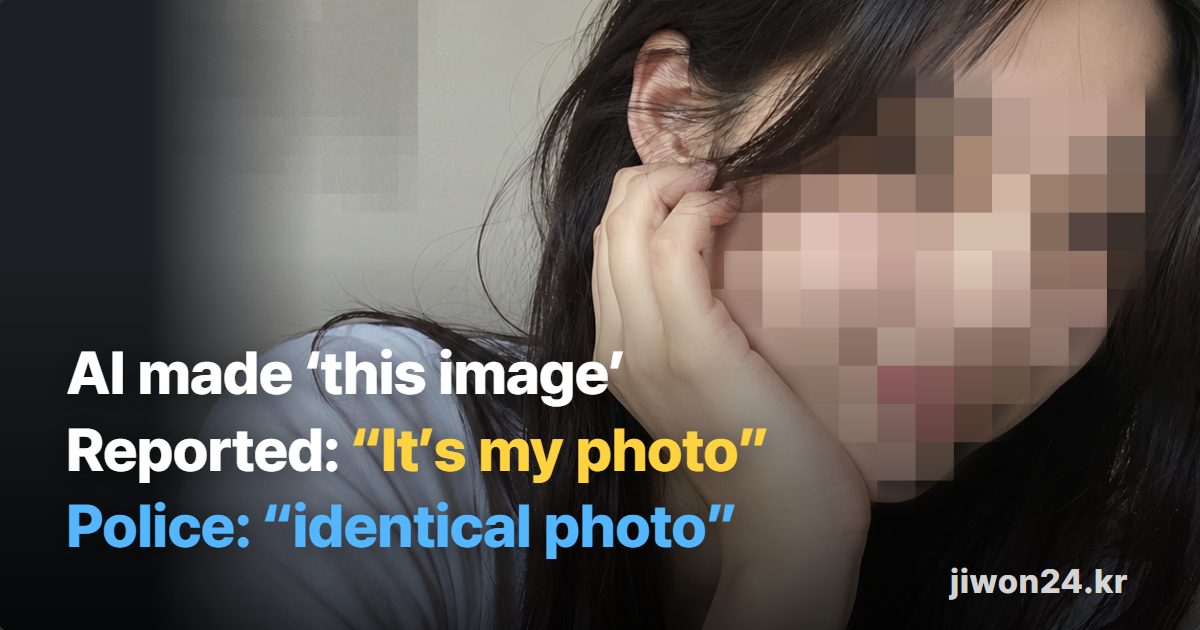
See what to do when you are reportedA Real Case: The Record of a Text-Made AI Image That Was Reported
Whether You Use AI Images or Post Photos — Save These Records in Advance
If you make and use AI images
- Keep the original file as it is
- A chat screen showing your request and the result together
- A screen showing when it was created (such as the library)
- The result screen from OpenAI’s verification tool
If you suspect your photo was used
- Keep your original photo file (exactly as first taken)
- The screen and date of the post where you first uploaded it
- The screen, address, account name and date of the post you suspect
- The record of your report to the platform
Either way, submit the original file as it is
Save this list too.
Translation Notice
This page is a translation of the Korean page on jiwon24.kr. The Korean page is the reference. The tools' screens, supported formats and retention policies may change, and legal terms and procedures differ by country.
How to Tell If an Image Is AI-Generated: Frequently Asked Questions
Where can I check whether an image is AI-generated?
There are three places: the OpenAI generated-content verification page, the Content Credentials verification page, and Gemini, which checks Google's SynthID. Which one catches a signal depends on which company's AI made the image, so if you do not know, upload it to all three. The differences are in the Three AI Image Checking Tools table.
If no signal appears, does that mean a person took the photo?
No. No supported signal only means that no signal was found in that file. An image can come back with no signal even if AI made it, when it was made before signals were added, when its metadata was stripped in saving, when its watermark was damaged, or when another company's AI made it. The order of checks is in Four Steps to Check Whether an Image Was Made by AI.
What is SynthID, and can you see it?
You cannot see it. SynthID is an invisible watermarking technology that embeds a signal in the image itself, introduced by Google DeepMind, and OpenAI also puts it in images made with its tools. OpenAI explains that this signal is designed to remain through changes such as cropping, filters and lossy compression. A comparison of the signals is in the Three AI Image Checking Tools table.
What is C2PA, and what can a metadata check tell me?
It is an open standard for recording a file's origin and history. The record can include the tool or service used and the time it was made, and if you upload the file to the Content Credentials verification page you can see the record and the changes. But because it is metadata, it can be stripped when the file goes through a platform, an editing tool or a format conversion. The records each tool shows are in the Three AI Image Checking Tools table.
Can the OpenAI verification tool detect images made by other AI?
No. The tool is built to find signals in content made or exported with OpenAI tools, and it does not detect content made by other companies' AI at present. For Google AI use SynthID in Gemini, and if a C2PA record remains, use the Content Credentials verification page.
Is a photo I upload to the checking tool stored?
OpenAI states that its tool does not store it. It explains that, except where it is legally required to keep them, it does not store uploaded files and does not use them to train models. I could not confirm how the Content Credentials verification page and Gemini handle files.
Is submitting the check result enough to prove it?
No. The result only shows whether the file holds an OpenAI tool signal, and a file made by editing an uploaded photo shows the same signal. What shows which materials you put in is not the check result but the chat, the library and the export file in the keeping-records table above. How to keep them is in the Keeping the Records of How an AI Image Was Made table.
Can you tell an AI image from a real one just by looking?
I could not find an official standard. I did not find a standard for telling by eye from an official body or an AI company, so this page does not cover it and only sets out how to tell an AI image from the signals left in the file.
Sources
Official documents
Company help pages
Guidance and policies published by the companies